
CloverFall Codes: Official Status, Checks, and Redemption Guide
A source-first CloverFall codes guide: official status, safe redemption checks, and dated verification boundaries.
CloverFall codes: official status and safe redemption
This page is a verification guide, not a promise that every code copied into a search result still works. On October 16, 2026, the public official CloverFall Roblox experience page says players should join its Roblox Group and Community Server for rewards, codes, and early previews. The same public page does not publish a current code string, a reward value, a redemption button label, or an expiry table. The careful conclusion is narrow: call a code active only when CloverFall, Malphite Studios, or an official community destination linked from the experience has published it and the current game accepts it.
That boundary matters. A blog, video, comment, or search snippet can help a player notice a rumor, but it cannot turn a rumored string into a current official reward. Code lists often remain online long after an update, and a word that once looked like a milestone reward may be repeated even when it was never announced by the developer. This guide keeps the evidence visible so you can test a claim without being misled by it.
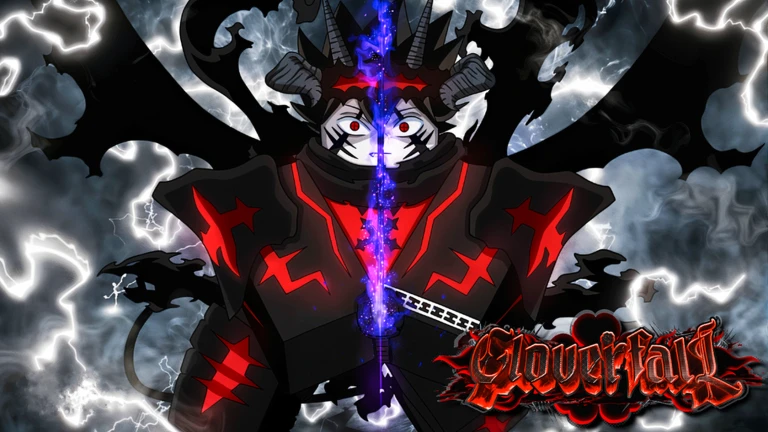
Image source: the official CloverFall Roblox experience listing. It identifies the experience and publisher; it does not itself verify a code reward.
Official status checked October 16, 2026
| Status bucket | Officially verifiable result | What it means |
|---|---|---|
| Officially verifiable active codes | None published on the public Roblox experience page checked today. | This does not prove that no live code exists in the game or official community; it means there is no first-party string on that public page to list responsibly. |
| Officially documented expired codes | None published on the checked public experience page. | Do not call an old report expired without an official announcement or an unambiguous current in-game result. |
| Historic community reports | Older third-party lists have reported strings. | They are leads for checking, not live rewards or official expiry records. |
| Your own successful attempt | A dated in-game observation. | It proves only what the current interface accepted in that session, not a permanent worldwide policy. |
The phrase Officially verifiable active codes is intentional. A code becomes eligible for that row when a first-party source provides the exact text and its context. If a current official post later says a code is time-limited, the same source can support an expiry entry. Until then, “not publicly verified from the checked official source” is more useful than guessing.
The official verification entrance
Start at the official CloverFall experience, confirm the title and Malphite Studios creator credit, and read its current description. The description directs players to the Roblox Group and Community Server for rewards, codes, and early previews. Follow only destinations surfaced by that official page or by the current game. This avoids copied games, fake community invitations, and pages that collect a reward claim long after the original context disappeared.
Then use the live interface as a second check. The public description does not name a code tab, an NPC, a chat command, or a keyboard shortcut. This guide will not invent one. If your current session displays a rewards or code interface, use its visible labels and instructions. If it does not, do not assume there is a secret field hidden behind a third-party command. A legitimate reward check should stay inside the current Roblox experience or an official destination it links.
Redemption steps without guessing at a menu
These are safe, repeatable steps. They are not a claim that every CloverFall build has the same UI.
- Launch CloverFall through the official Roblox link, not a copied game URL.
- Let the session finish loading. Read the navigation, tutorial prompts, and visible reward options that exist on your platform.
- If a code or rewards interface is displayed, open it. If none is displayed, stop rather than trying an invented keyboard command or an outside “redeemer.”
- Match a candidate exactly to a current first-party announcement. Keep capitalization, punctuation, and spaces exactly as published.
- Enter it once using the action shown by the current UI. Avoid leading or trailing whitespace and do not alter the text because a third-party list uses a different style.
- Read the result. A success message, an invalid message, and an already-claimed message are different observations. Record the wording rather than converting every rejection into “expired.”
- Record the date, platform, source URL, exact candidate, and visible game/update context. Re-check after updates because status can change.
This method may be less dramatic than pasting a long list, but it gives you a reliable answer. A single rejected attempt can be caused by a typo, an account condition, a migration, a regional difference, or an update transition. A single success can be limited by time, account, or event. First-party publication plus a dated live result is much stronger than either one alone.
What the official page does and does not establish
The official description establishes that CloverFall is a journey across the Clover Kingdom with magic, Grimoires, spells, combinations, awakenings, land and broom exploration, bosses, raids, fishing, mining, crafting, hunting, skill trees, progression, and AFK rewards. It also tells players where to watch for rewards and codes. It does not establish a current code string, a reward amount, a claim limit, an end date, a menu path, or a rule saying that all old codes are invalid.
This distinction prevents two common mistakes. The first is calling a game’s general mention of “codes” proof that a particular string works. The second is calling an old community report “expired” merely because it is old. Both can be wrong. A good codes page makes its uncertainty useful: it tells you exactly where to check and exactly what evidence is still missing.
Historical reports are not a current reward table
Players may encounter older reported strings such as RELEASE, BUGFIX1, THANKYOUFOR20KVISITS, and BUGFIX2 while searching. They are retained here only to explain why a search result may mention them. The official Roblox listing checked October 16 does not publish any of them, does not call them active, and does not call them expired.
| Historic report | Official live status on October 16, 2026 | Safe label |
|---|---|---|
RELEASE | Not published on the checked official listing | Historical report; do not assume it works |
BUGFIX1 | Not published on the checked official listing | Historical report; do not assume it works |
THANKYOUFOR20KVISITS | Not published on the checked official listing | Historical report; do not assume it works |
BUGFIX2 | Not published on the checked official listing | Historical report; do not assume it works |
If you test one, state only the observed result and date. Do not upgrade it into a site-wide “working” claim because another player copied it. If a developer or official community announcement later provides a direct source, that publication—not the age of a blog—should decide whether the code belongs in an active or expired section.
A source filter that saves time
Think in three layers. First-party evidence is the official Roblox experience, a Malphite Studios announcement, or an official community channel linked from the experience. It can establish code text, a reward description, and published conditions. Direct session evidence is the live game accepting or rejecting a string in your own session. It can establish only that result at that moment. Third-party evidence is a video, a blog, a social repost, a comment, or a search snippet. It can point you toward a check, but it cannot establish current official availability by itself.
Community reporting still has value. It can signal that an update occurred or that players are watching a milestone. The problem appears when “working” is copied without a date, a first-party link, or a current in-game result. Treat a third-party report as a question: “Can I find this exact text at the official entrance?” If the answer is no, label it unverified rather than filling a reward table with confidence it has not earned.
The embedded video is related viewing for players researching the topic. It is not an official Malphite Studios announcement and is not used as evidence for active, expired, reward, or UI claims on this page. Check the official entrance before entering any string shown in a video.
Keep a short verification record
When a new claim appears, save six details before you share it: the direct official source URL, exact text, publication date, update context, the visible in-game outcome, and the reward wording if the first-party source states it. This turns a vague note—“still works”—into something another player can reproduce or challenge safely.
A useful note might say: “Checked October 16, 2026; official Roblox listing directed players to the community for codes; listing displayed no code string; no candidate labelled active.” That is a complete, honest status. If a later announcement has a deadline, record its exact wording instead of estimating a time. If the interface reports already claimed, preserve that response rather than calling the code invalid.
New players can pair this evidence check with the beginner guide, Grimoires guide, and spells guide. These explain game systems without implying that a code grants a specific item. For the world and activity route, see the Clover Kingdom field guide.
When a candidate fails
Begin with the ordinary checks. Confirm you are in the official experience, copy the text exactly, remove accidental whitespace, and confirm that the candidate came from a current first-party post. Then read the game response. “Already claimed” differs from “invalid,” and neither result proves that every player will see the same response. Do not repeatedly submit random strings in hopes of discovering a hidden reward.
Time also matters. The official listing says CloverFall is in beta and that player data will not reset. That is useful for deciding whether to maintain a progression record, but it is not a permanent code policy. After an update, wait for the official community or a visible in-game announcement to clarify any change. Keep account safety separate from rewards: never provide a Roblox password, verification code, payment detail, or browser-extension permission for a “code generator.”
FAQ
Are there any confirmed active CloverFall codes right now?
The public official Roblox listing checked on October 16, 2026 does not publish a live code string. Therefore this page has no officially verifiable active code to list. That does not prove no code exists in an official community or the current game; use those first-party destinations to check.
Which CloverFall codes are expired?
The checked public official listing does not publish an expiry table or identify a string as expired. Older reports are historical, unverified reports, not an official expired-code list. Use an official announcement or a clear live game result before making an expiry claim.
Where do I redeem a CloverFall code?
Use a rewards or code interface only if it is visibly present after you enter from the official Roblox page. The public listing does not document an exact button or menu name, so do not trust a fixed path that cannot show a current source.
Why does a video call a code working when this guide does not?
Videos can be delayed, copied, or recorded on a different game build. They are useful leads, not a substitute for a current official publication or your live session result. This guide keeps that distinction explicit instead of converting a title into a guarantee.
Does beta status mean my reward or data resets?
The official listing says CloverFall is in beta and that player data will not reset. It does not publish a universal code-reward rule. Keep a dated record and follow future official reward-specific terms.
How can I report a code responsibly?
Share the first-party source, exact text, date, platform, and visible response. Do not share account details or call a string active merely because it was repeated by another player. A dated, sourced report helps more than an undated list.
Bottom line
The public official CloverFall page tells players where to look for codes, but it did not publicly verify a live or expired code string on the page checked October 16, 2026. Follow the official experience into its linked community, use only the live interface you can see, and date every result. That is the approach that remains useful when the next update changes the answer.
Related guides
How should players check whether a CloverFall code expired | CloverFall Guide
A source-led answer about How should players check whether a CloverFall code expired?
How to Redeem CloverFall Codes in Roblox
Follow the source-backed CloverFall code redemption steps and verify reported codes in Roblox.
What does the CloverFall BUGFIX1 code give | CloverFall Guide
A source-led answer about What does the CloverFall BUGFIX1 code give?
What does the CloverFall BUGFIX2 code give | CloverFall Guide
A source-led answer about What does the CloverFall BUGFIX2 code give?